Turning Operational Noise into Strategic Signal: Information Management as a Leadership Skill
First published on LinkedIn, January 13, 2026
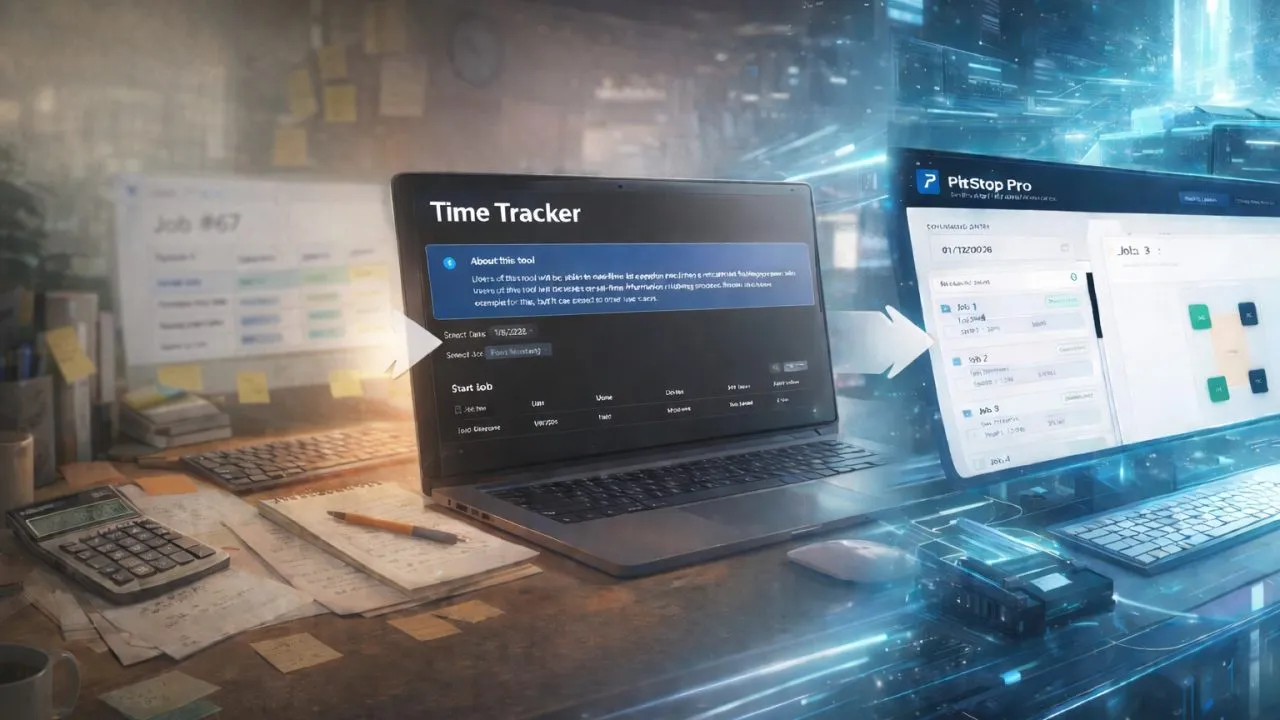
I’ll start with a disclaimer: I sometimes go overboard on this.
But as a product leader, when you live at the intersection of market strategy, sales, customer success, engineering, design, finance, and operations, you spend most of your time in ambiguity. You make decisions with incomplete data, competing signals, long feedback loops, and real consequences. You rarely get fast confirmation that you made the “right” call.
At the business level, success is measured in a small set of outcomes: revenue, margin, and growth. Every function then optimizes its own levers in service of those outcomes. Sales has quota and pipeline. Customer Success has health and retention. R&D has delivery, quality, and adoption. Each metric is valuable, but they are still just levers. What matters is how they interact as a system.
In practice, most organizations are a collection of highly optimized, department-specific information systems. Each one is powerful in isolation. Almost none are intentionally designed to create shared intelligence for the whole business. Signals that could materially change decisions in one area are often trapped in another. The larger and more specialized the organization becomes, the more fragmented the picture gets.
Product sits in the middle of that web of signals. Strategy, investment decisions, and execution tradeoffs all depend on synthesizing them into a coherent view of what will actually move the business. That requires not just intuition and experience, but strong information systems.
A small example from my work.
We were trying to improve a critical business process where time-to-complete and quality were major levers for our one of our annual objectives. The team was already collecting timing data, but only for reference. A manager manually compiled spreadsheets. Trend analysis lagged reality by weeks. Team members were re-entering the same data in multiple places. The friction made insight slow and expensive.
So, we built a lightweight, purpose-built tracking tool. One click to start a job. One click at each major step. Automatic timers. Real-time views of in-progress and completed work. Trend reporting week-over-week and month-over-month. Within a few months, we achieved two things at once: Better operational performance through faster feedback loops AND Lower administrative burden by eliminating duplicate work. Same people. Evolving process. Better system.
I went ahead and built an example in Coda, this time modeled after my high-school job changing tires at Discount Tire Co. Here’s a link to the example.
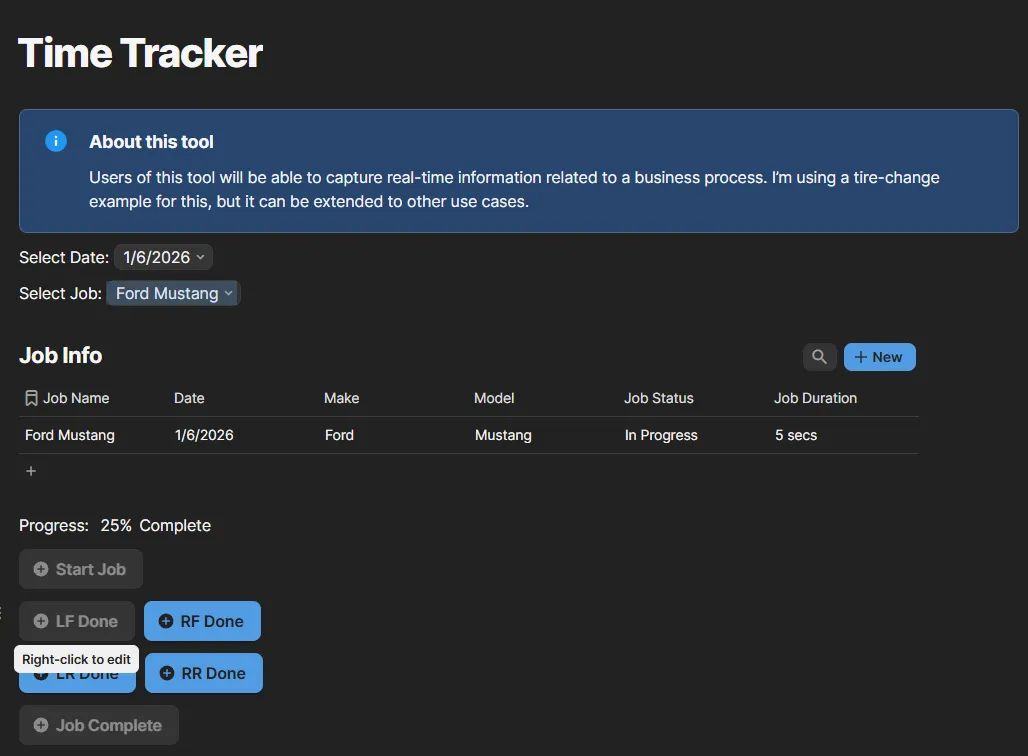
Coda time tracking example.
This example took less than 30 minutes to design and build. I’d done it before, so it was reasonably easy to come up with the approach. This first version I built at work took about an hour and a half to create the initial version, with some ongoing tweaks along the way. I’d venture to guess that has saved close to 100 hours at this point for the team + leadership, and it’s essentially hands-off for me at this point. More importantly, the information is now readily useful.
Achieving Similar Results in Google AI Studio
This kind of tooling is becoming even more approachable. As an experiment, I recently recreated a similar workflow using generative AI. With a short natural-language prompt, I generated a simple, functional UI that tracked jobs, steps, timers, and a real-time command center view in seconds. No boilerplate. No setup. Just intent translated directly into working software.
A simple time tracking app for changing tires. There is a list of jobs with customer name + make + model + bodystyle of the vehicle. Users select the calendar day, which filters down to the list of jobs for that day (generate 5-10 per day.). The user can then run a series of actions.

1. Start Job - this sets the Job Status to In Progress and enables the tire change buttons. A running timer will show how long the job has been In Progress.
2-5. Change Tires - do this in the design of a vehicle in the body style of the vehicle. Each action can only be done once and can only be done after the job has started.
6. Complete Job - only enable this option after all Change Tire actions have been completed. This will calculate the duration between the start time and the timestamp for the Complete Job event.

A second view is a command center view. All jobs that are pending for the current day will show in one pane. Jobs that are in progress will be shown in another pane with duration. Completed jobs will show in another pane with duration.
A minute later, I’m staring at PitStop Pro.
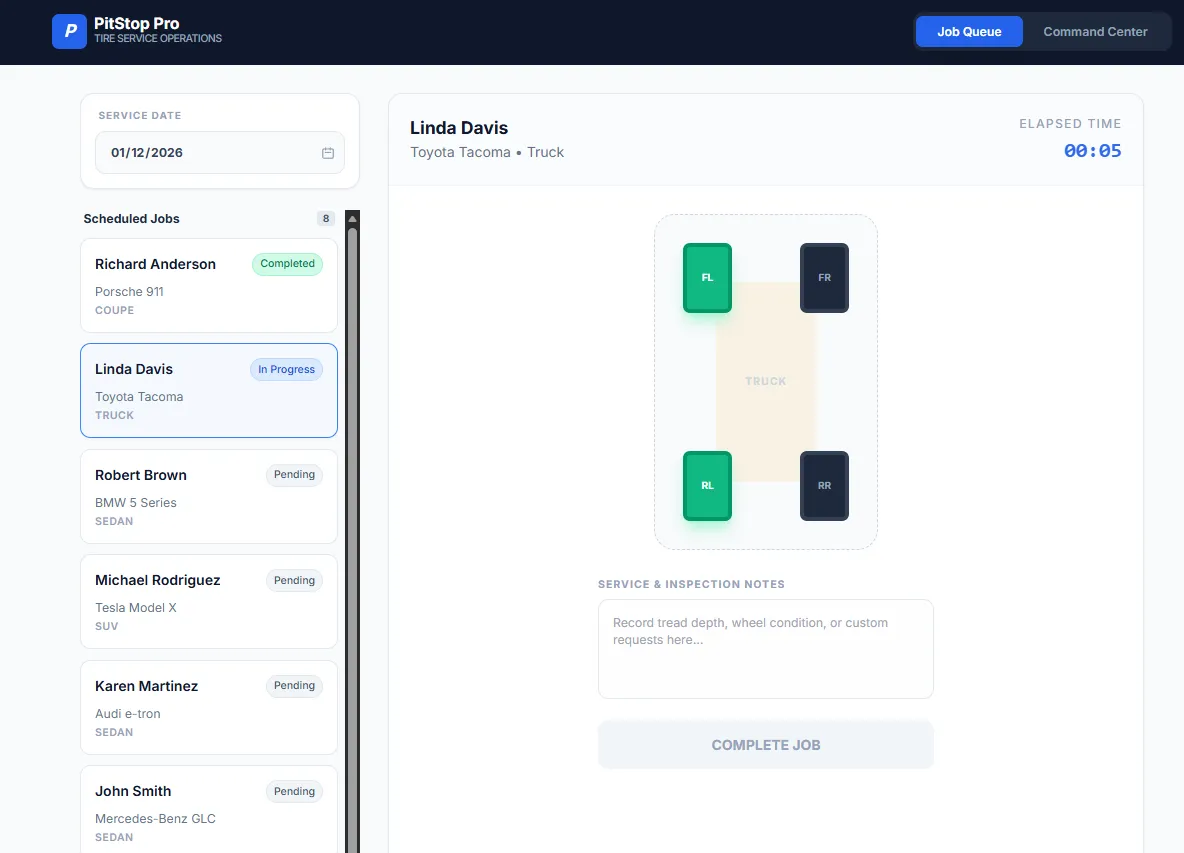
Generated in Google AI Studio
It’s not production-grade. It doesn’t persist data. But the speed is the point. We’re entering an era where leaders can prototype decision systems and operational tools almost as quickly as they can articulate the problem. That changes the economics of experimentation, the cost of insight, and the pace at which organizations can learn. With tools like Vercel and Railway, many of those prototypes can become functional, deployed apps in days.
I started by saying I sometimes go overboard. That’s still true. Not every process needs custom tooling. Judgment, opportunity cost, and focus still matter. But the capability to build quickly reshapes those tradeoffs. When the cost of trying drops, the opportunity to learn rises.
Most organizations are sitting on a goldmine of underutilized signals. With intentional information management approaches and generative AI, those signals can be connected, contextualized, and turned into real decision leverage.
And that is increasingly the job of product leadership: not just shipping features, but developing the systems that help the business think, learn, and decide in better, faster, more aligned ways and by connecting those systems to customers, the market, and the business/product strategy.
Have a use case you’re wrestling with? I’d love to hear from you. Share in the comments or send me a message on LinkedIn.